
Recurring Events
Recurring events let you book a series of appointments on a regular schedule — useful for standing client sessions, regular check-ins, or any appointment that repeats.
Creating a Recurring Appointment
When creating a new appointment, enable Make recurring in the appointment form:
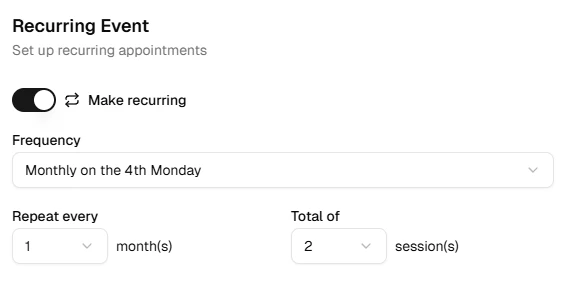
Choose a frequency, how often it repeats, and the total number of sessions (up to 18). Recurring appointments require a single service.
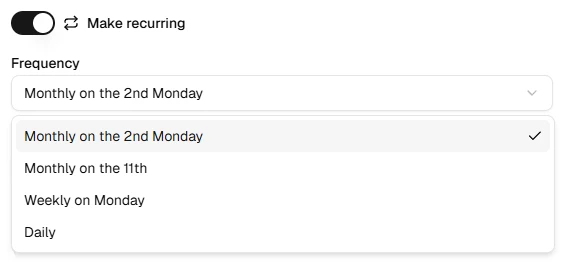
Available frequencies:
- Daily — repeats every N day(s)
- Weekly — repeats every N week(s) on the same weekday as the first appointment
- Monthly on date — repeats every N month(s) on the same calendar date
- Monthly on weekday — repeats every N month(s) on the same weekday occurrence (e.g. the 2nd Tuesday)
Save the appointment to create the full series.
Editing a Recurring Series
Click any occurrence in the series to open it. You can edit just that instance or update the entire series — useful when a client needs a one-off time change versus a permanent schedule update.
What's Next?
Quick Tip
Start with a shorter series and extend it later if needed — easier than cancelling many future appointments.