
Sales Overview
The Sales feature lets you check out appointments and accept payments directly within DaySpark. Activate DaySpark Payments to seamlessly process in-person cards payments with an integrated point of sale.
Availability
DaySpark Payments is currently only available in the United States and Canada.
What You Can Do
Build a cart with services, products, and packages, then apply discounts, tax, and tips before completing payment. Accept cash, card (saved or manual entry), in-person card reader payments, split pay, package redemption, membership credits, or send a payment link by email.
After a sale, print or email receipts, review history, manage saved cards on client profiles, and handle refunds or disputes. Tax rates and discount presets are configured in Settings → Tax & Discounts — see Tax and discounts.
The sales feature requires the Essential plan or higher.
DaySpark Payments
DaySpark uses Stripe for card processing. Before accepting card payments:
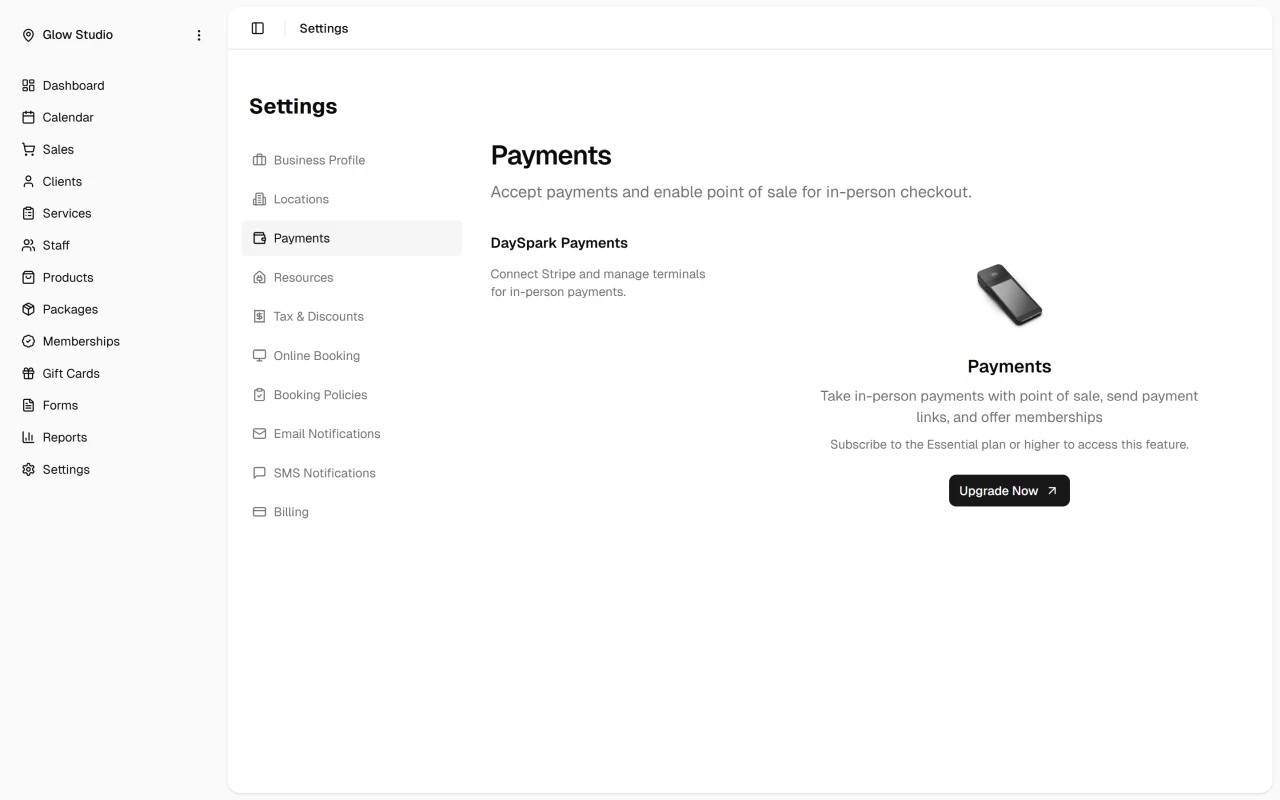
- Go to Settings → Payments and create or connect a Stripe account
- Complete Stripe's onboarding (business details, bank account, identity verification)
- Return to Settings → Payments if Stripe needs additional information
Once connected, you can process card payments and — for admin users — open the Stripe Dashboard for payouts and reporting.
Processing fees on successful payments: 2.9% + $0.30 per card transaction, $0.40 per Interac transaction (Canada), plus a 0.25% platform integration fee. Internationally issued cards incur an additional 1.5% Stripe fee.
Getting Started
- Connect Stripe and process a sale
- Tax and discounts
- Payment methods
- Card reader setup
- Sales history
- Refunds and disputes
TIP
You can also start checkout from the Calendar when viewing an appointment — the client and services are pre-filled from the event.