
Organizing Services
DaySpark's drag-and-drop interface makes it easy to organize your services. Whether you're reordering services within categories or moving them between categories, you can quickly arrange your service menu exactly how you want it.
Understanding Service Organization
Good service organization helps both you and your clients:
- Makes services easier to find
- Improves the booking experience
- Highlights your most popular offerings
- Creates logical service groupings
- Streamlines your workflow
Reordering Services Within Categories
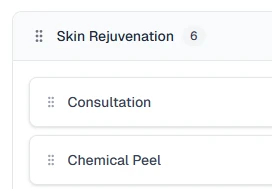
You can easily reorder services within the same category by clicking and holding on any service, then dragging it up or down to the desired position. When you release the service, the changes save automatically and the new order is reflected immediately in your service list.
Moving Services Between Categories
To move a service to a different category, simply drag the service from its current category and drop it into the new category. The service will move with all its settings, pricing, and details intact. You can drop it anywhere within the target category to position it exactly where you want it.
Reordering Categories
Categories can be reordered by clicking and holding the grip handle (⋮⋮) next to any category name, then dragging it up or down to the desired position. When you release the category, the new order updates automatically across your entire service menu.
Using Search
The search bar at the top of the Services page lets you quickly find any service by typing part of its name, description, or price. When you search, only matching services are shown and categories with no matching services are hidden. You can clear the search at any time to see all your services again.
Best Practices
Popular Services First Place your most popular services at the top of each category and group frequently booked services together. This highlights your key offerings and makes them more visible to clients.
Logical Grouping Group services by type (like "Hair Services" or "Skin Treatments") and consider organizing by duration or price point. The most important thing is to match how your clients think about your services, not just your internal organization.
Regular Maintenance Review your service organization monthly and update the order based on booking patterns. Remove unused services to keep your menu clean and add new services in logical positions.
What's Next?
After organizing your services:
Helpful Hint
Organize your services based on how clients look for them. A logical, client-focused organization makes booking easier and improves the client experience.