
Selling a Package
When a client wants to purchase a package, add it to the cart at checkout like any other item. The client pays the full package price upfront, and their session balance is created immediately.
Steps
- Go to Sales and click New Sale (or open checkout from the Calendar)
- Select the client — a client is required when selling a package
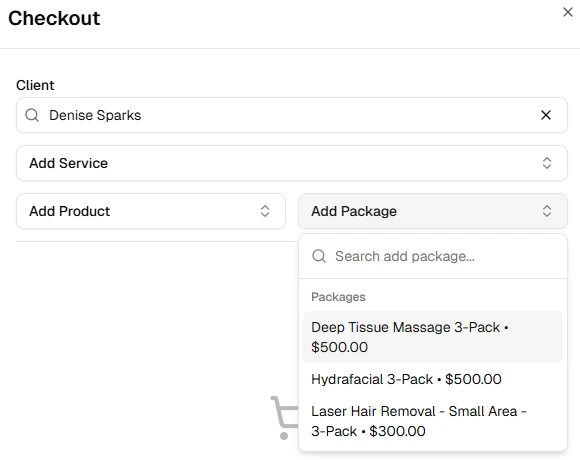
- In the cart, click Add Package and select the package from the list
- Complete checkout as normal — apply any discounts or tips, then proceed to payment
- Select a payment method (cash, card, etc.) and click Complete Sale
When the sale is completed, the client's package balance is created with the full session credits defined in the package plan.
TIP
A client must be selected before adding a package to the cart. Once a package is in the cart, the client cannot be changed — remove the package first if you need to switch clients.
Multiple Packages
You can sell more than one package in a single sale, or sell the same package multiple times by increasing the quantity.
After the Sale
- The package appears in the client's Packages tab with their remaining session balance
- The sale appears in Sales History
- The client can redeem sessions at any future visit — see Redeeming a Package at Checkout