
Billing and Subscription
Manage your DaySpark plan from Settings → Billing. View your current subscription, choose a plan, and open the Stripe billing portal for payment methods and invoices.
Your Current Plan
The billing page shows your active plan, renewal or trial end date, and subscription status:
| Status | Meaning |
|---|---|
| Active | Paid plan in good standing |
| Trialing | Free trial period |
| Past due | Payment required |
| Canceled | Subscription ending or ended |
During a trial, you'll see the trial expiry date and options to subscribe before access ends.
Choosing a Plan
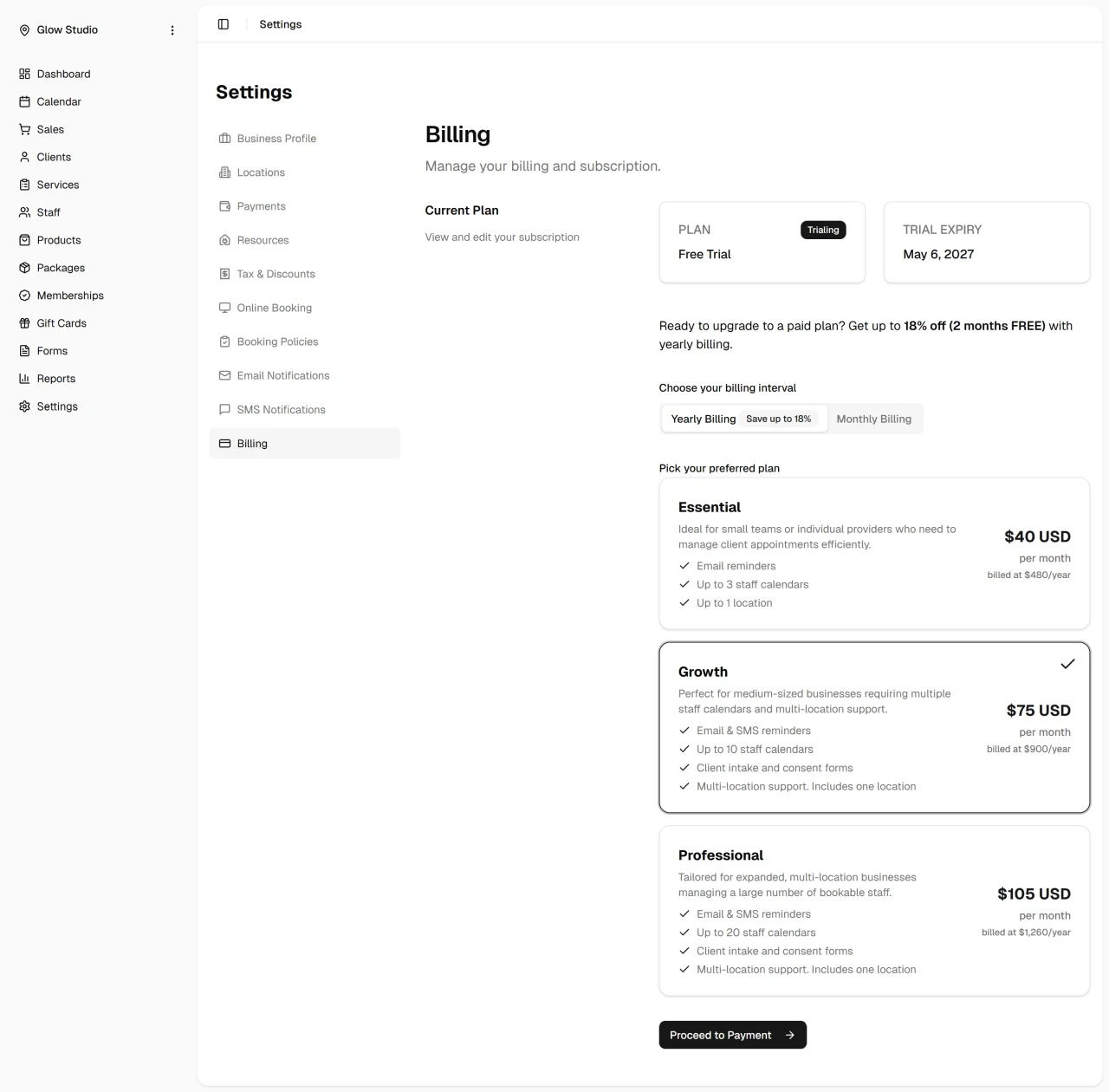
Select monthly or yearly billing, then pick a plan. Plans differ by staff limits and included features — compare options on the billing page before subscribing.
Yearly billing typically costs less per month than paying monthly.
Managing Your Subscription
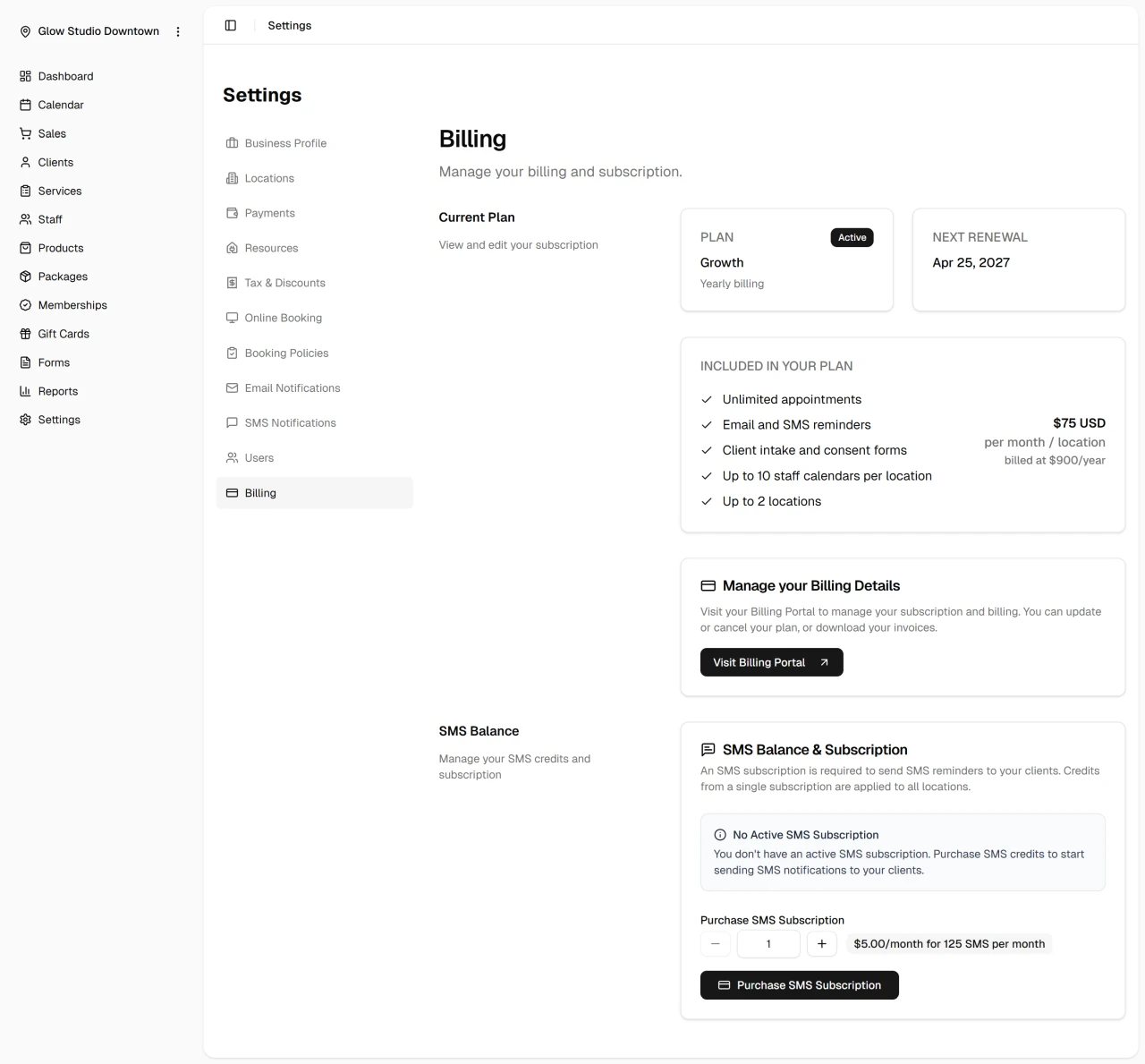
For an active paid subscription, click Visit Billing Portal to open the Stripe billing portal. There you can:
- Update your payment method
- Change or cancel your plan
- Download invoices and view payment history
Related
- Settings overview
- Payments and checkout — requires Essential plan or higher
Quick Tip
If you're still on a trial, note the expiry date and choose a plan before it ends to avoid interruption.