
Dashboard Overview
Your dashboard is the first thing you see after logging in. It gives you a quick read on the day ahead — how busy you are, what revenue to expect, and what's coming up next.
Understanding Your Dashboard
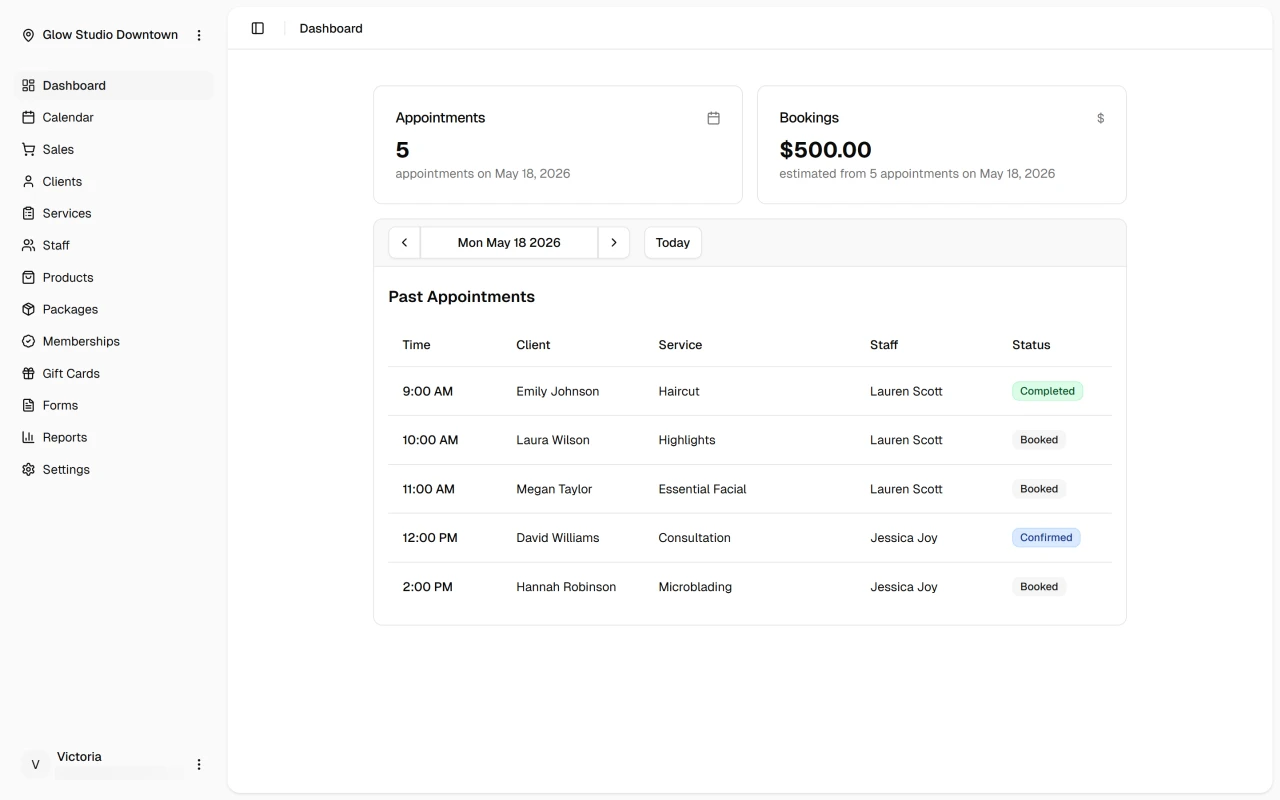
Metric tiles at the top summarize today's activity: total appointments, expected revenue, active bookings, and status updates. They give you an immediate sense of how the day is shaping up.
Below that, the daily agenda lists your upcoming appointments with client names, services, staff assignments, times, and status. It updates in real time as the schedule changes.
Working with the Dashboard
Click any appointment in the agenda to open its details — view the client, check the service, see the current status, or make quick updates without leaving the page.
The metric tiles are useful for tracking daily goals and spotting when the schedule or revenue needs attention.
Quick Tip
Start each day with a quick review of your dashboard to understand your schedule and prepare for upcoming appointments.