
Products Overview
Products let you sell retail items alongside services at checkout. Organize them into categories, set pricing, and optionally track inventory by location.
The Products Page
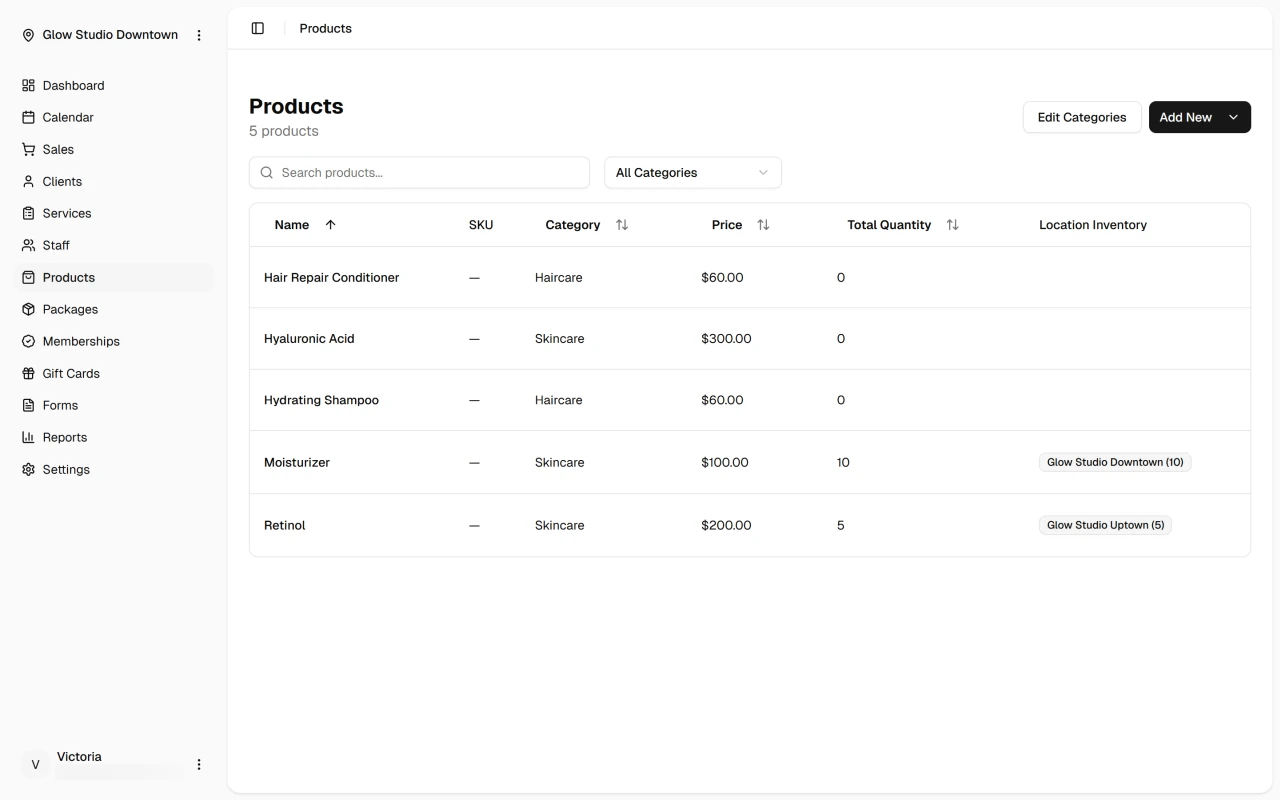
Open Products in the sidebar to see your full catalog in a sortable table. Each row shows the product name, SKU, category, price, and stock quantity when inventory tracking is on.
Search by name, SKU, or category, filter the list, or click a row to edit. Use Add New to create a product or category, or Edit Categories to manage existing ones.
Inventory Tracking
Each product can track stock per location. When enabled, quantities appear on the Products page and at checkout, and the cart respects stock limits. When disabled, the product sells without quantity restrictions.
Next Steps
Quick Tip
Set up your catalog before processing sales. Products added here appear in the checkout dropdown grouped by category.