
Editing Staff Information
Update a team member's contact details, job title, bio, and online booking availability from their staff profile.
Opening the Profile
- Go to Staff in the sidebar
- Click the staff member's name
- Open the Profile tab
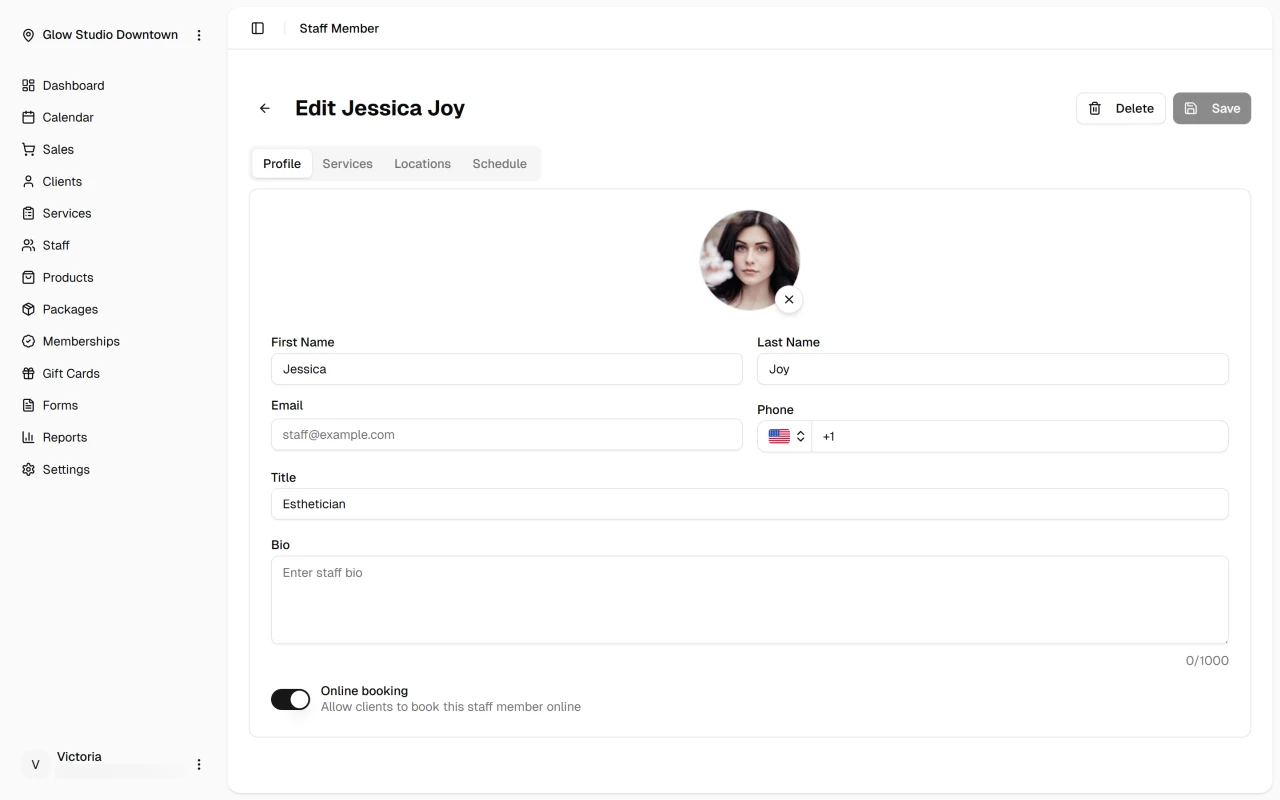
Updating Profile Details
Edit first name, last name, phone, title, and bio as needed. Email is read-only if the staff member has a linked user account.
Toggle Online booking to control whether clients can book this person through your booking page. Click Save to apply your changes.
Updating the Profile Photo
Profile photos can be added after the staff member has been created — they are not available on the new-staff form.
- Click the pencil icon on the avatar to choose a photo
- Select a PNG or JPEG image up to 5 MB
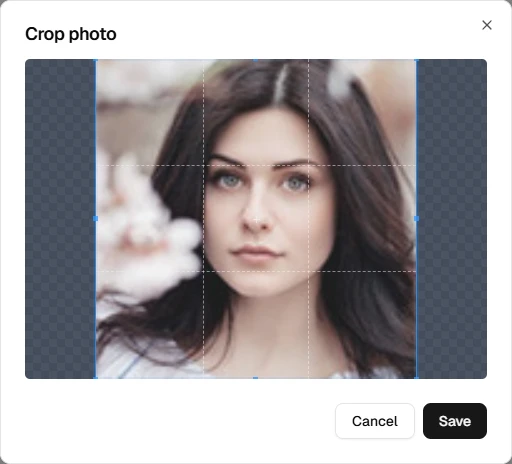
- Adjust the crop in the dialog, then click Save
To remove an existing photo, click the X icon on the avatar instead.

The photo appears on the staff profile and anywhere staff members are shown to clients, such as online booking.
What's Next?
Quick Tip
Keep bios current and descriptive — they help clients choose the right team member when booking online.