
Services Overview
Your service menu is the foundation of what you sell and book. DaySpark organizes services into categories so staff and clients can find the right offering quickly.
The Services Page
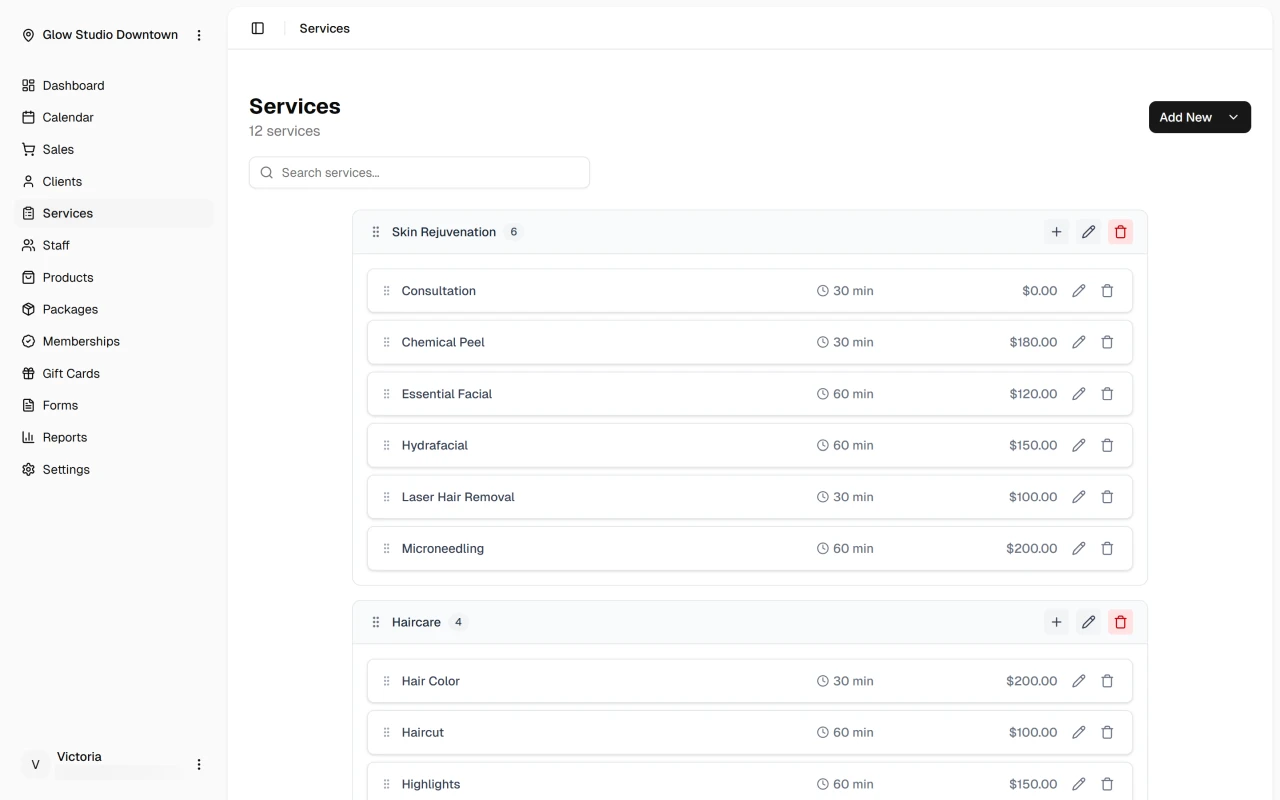
The Services page groups your menu into categories. Each service shows its name, duration, price, and whether it's available for online booking. Click a service to edit its details, or use Add New to create a service or category.
You can drag services to reorder them within a category, move them between categories, or rearrange categories themselves. See Organize services for details.
What You Can Configure
Each service includes a name, description, duration, price, and category. Assign it to the locations where it's offered, the staff who can perform it, and whether clients can book it online.
For services that use shared rooms or equipment, link a resource per location so DaySpark prevents double booking.
Next Steps
Quick Tip
Keep categories focused and names client-friendly — a clear menu makes booking and checkout faster for everyone.