
Booking Rules and Policies
Set up your booking policies to create clear expectations with your clients. This is where you can write your cancellation policy.
Creating Your Booking Policies
Setting Up Policies
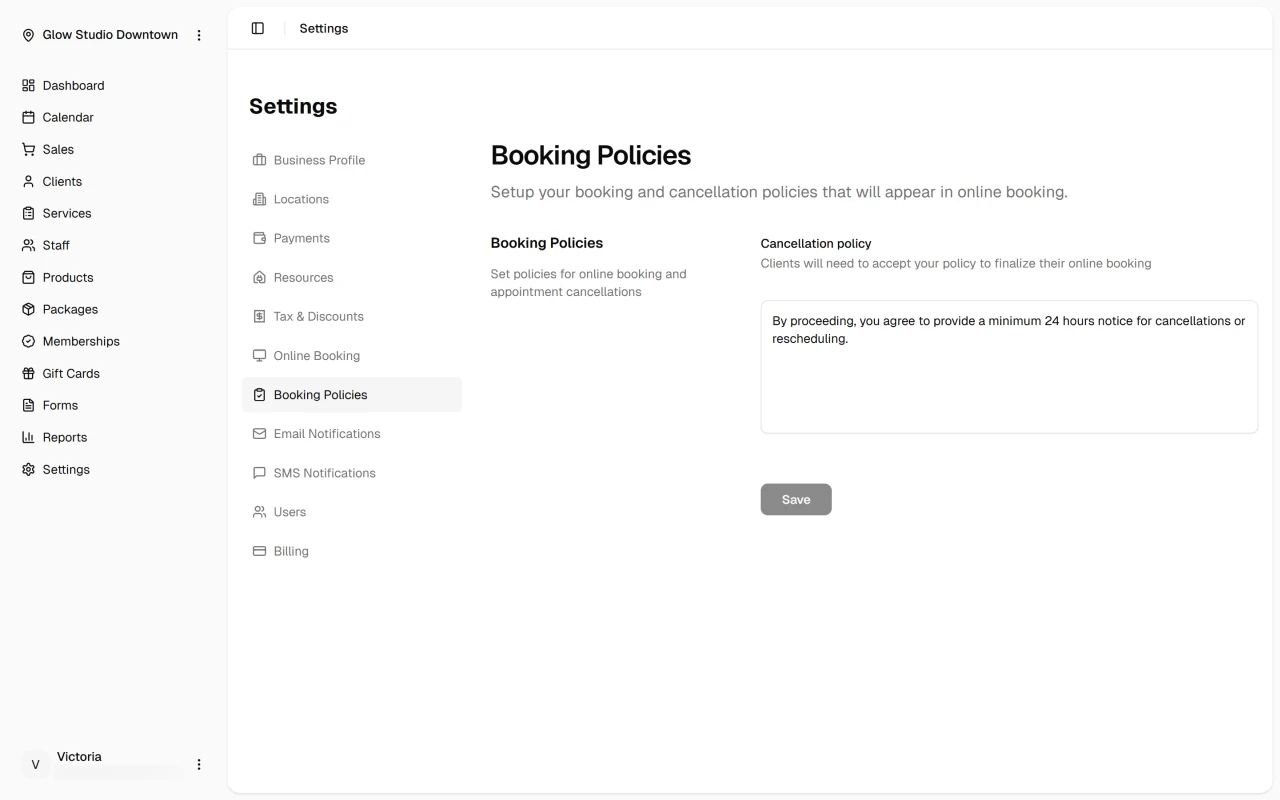
- Navigate to Settings > Booking Policies and write your cancellation policy in the text area (up to 300 characters).
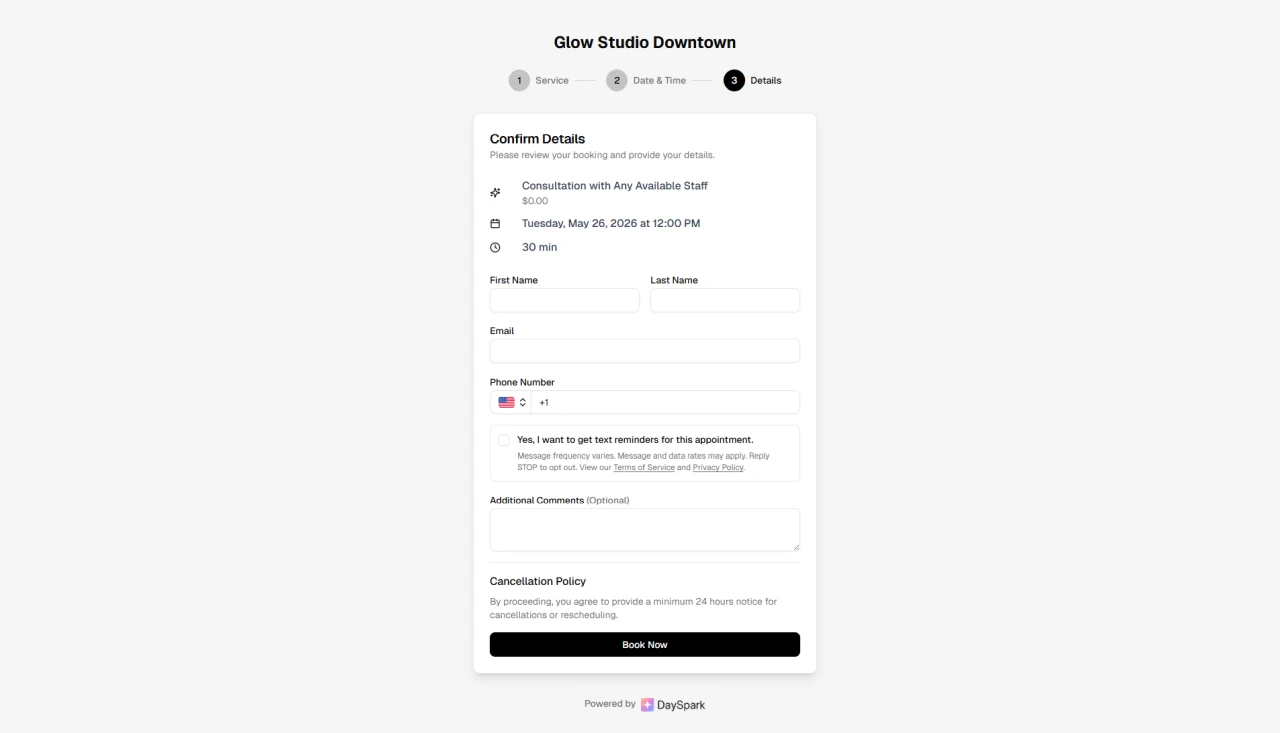
- This policy will be shown to clients during the booking process, and they must accept it before finalizing their appointment.
What to Include
- Consider covering cancellation notice requirements, no-show policies, and rescheduling rules.
- Keep it clear and concise using simple language.
Example Policy
"By proceeding, you agree to provide a minimum 24 hours notice for cancellations or rescheduling."